
Step-by-Step Guide for Sellers to Set Up Prices for Shipping Classes on Reselix
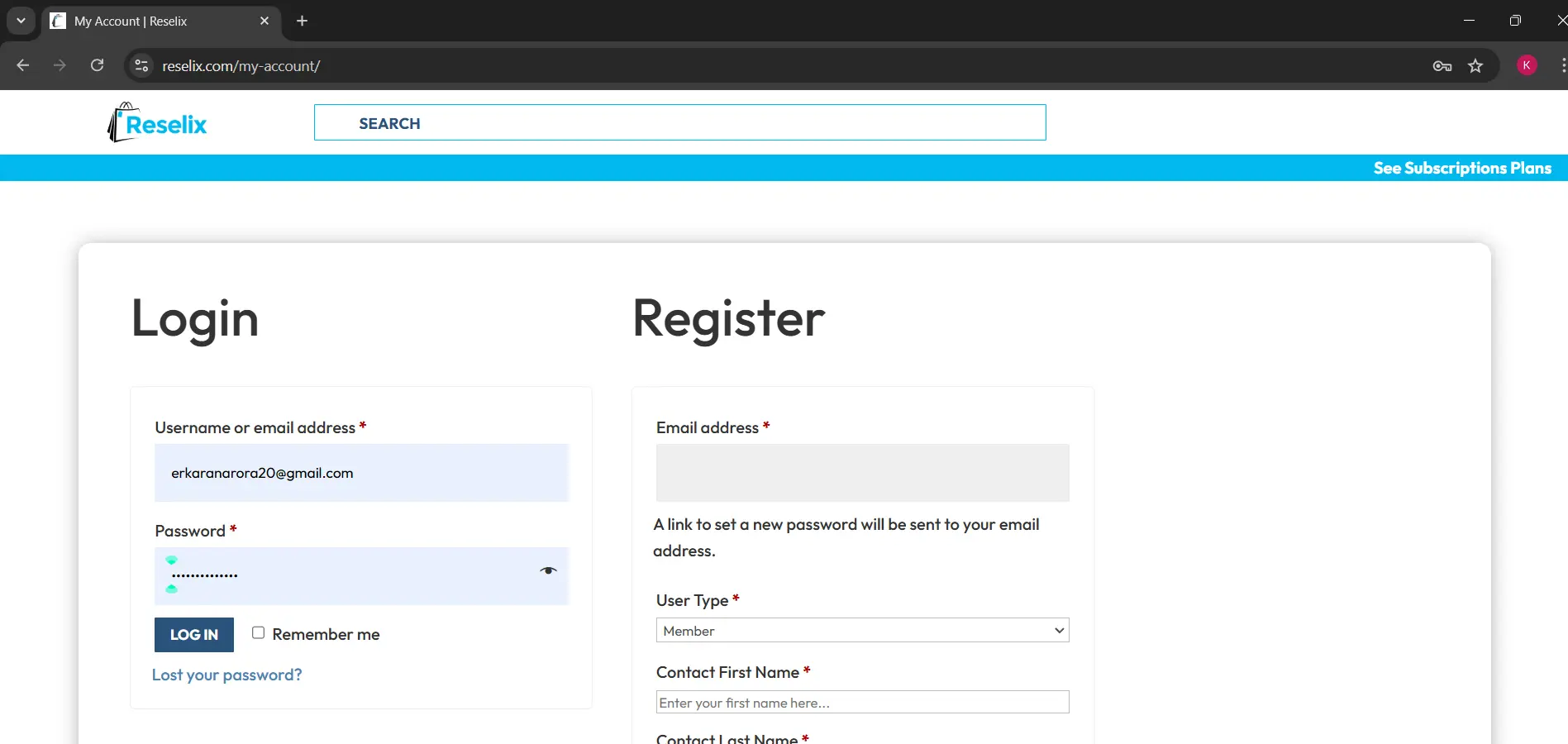
Step 1
Add your username or email address and password and click on log in.
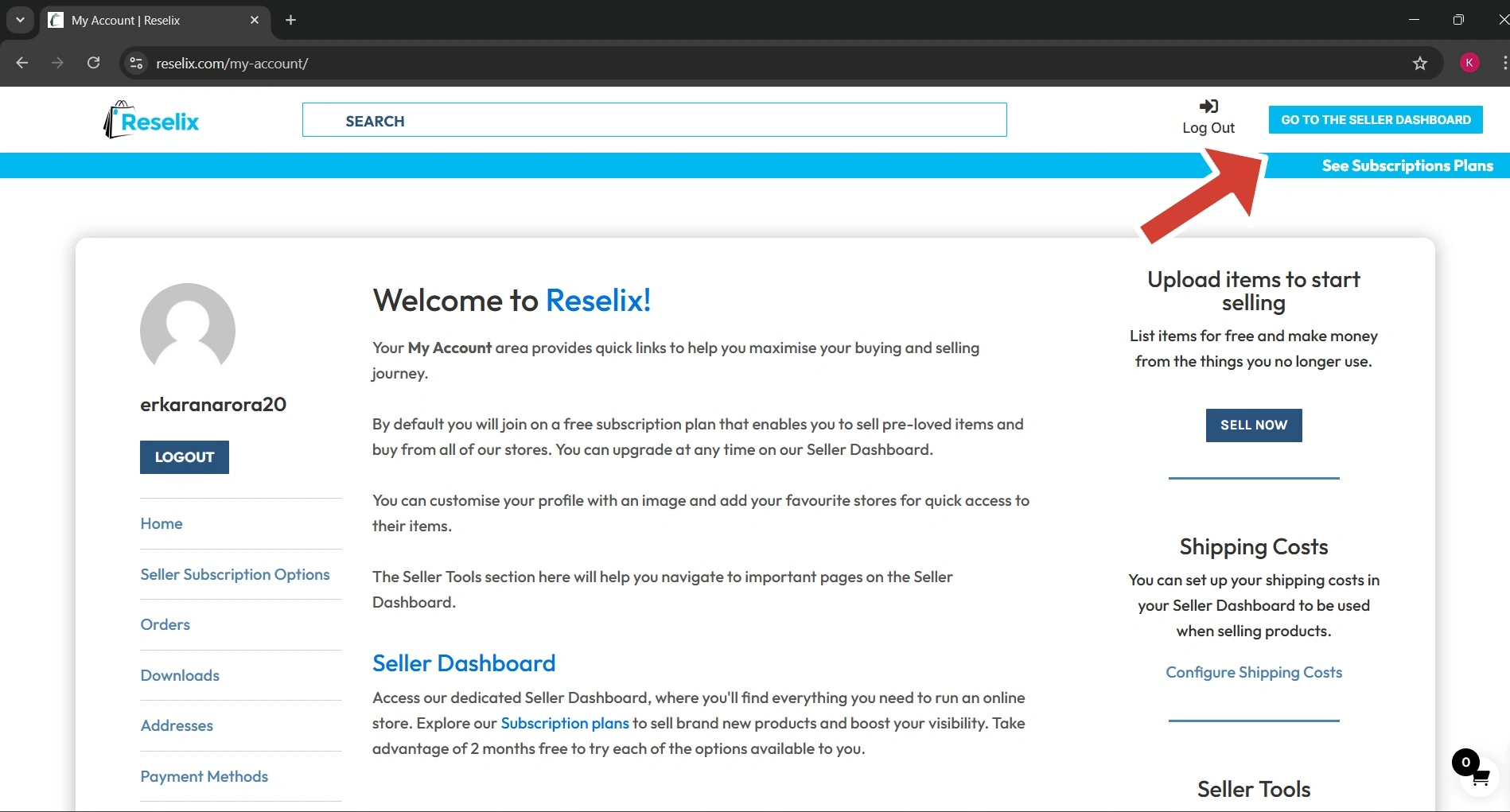
Step 2
Go to the seller dashboard.
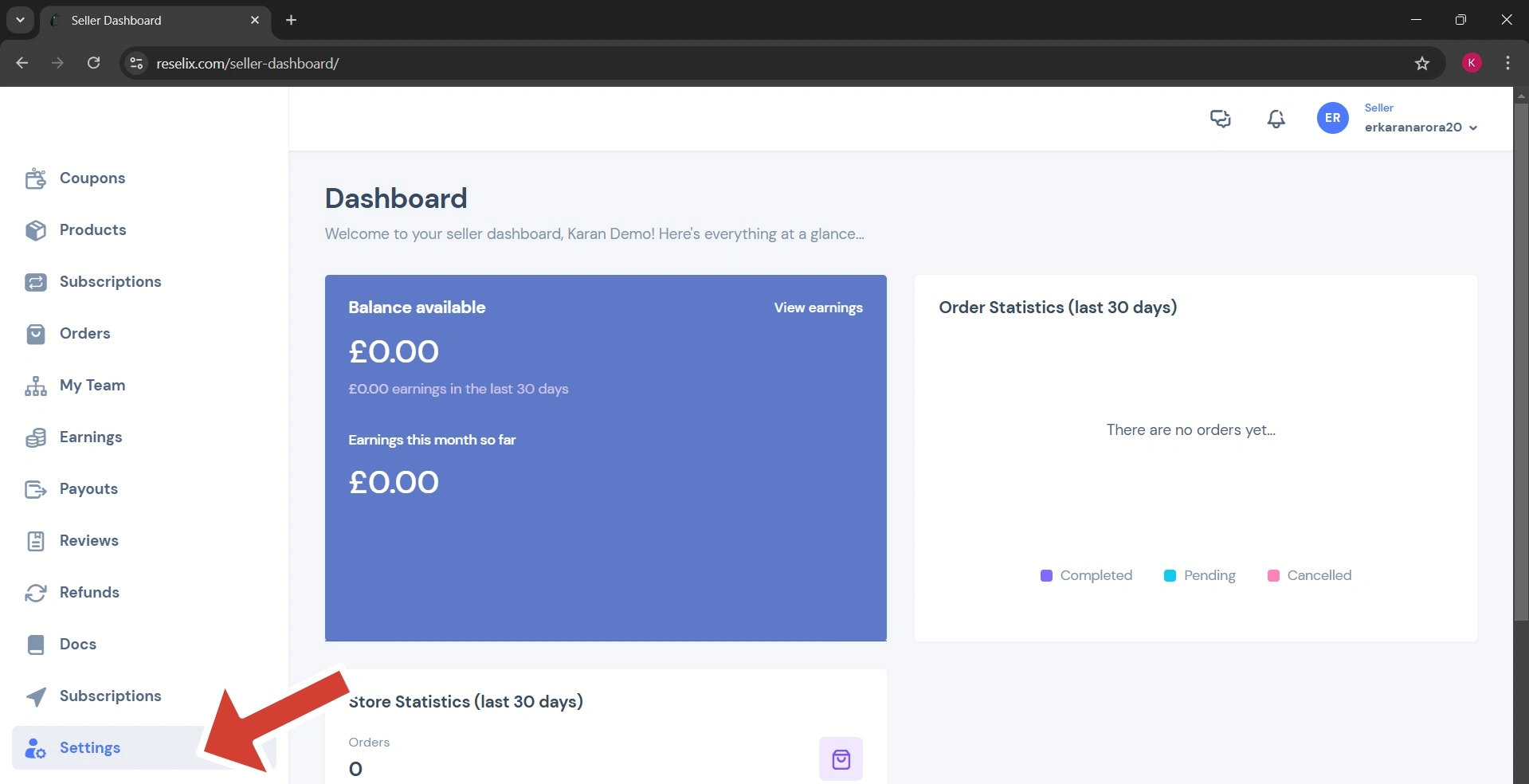
Step 3
Go to the “settings”.
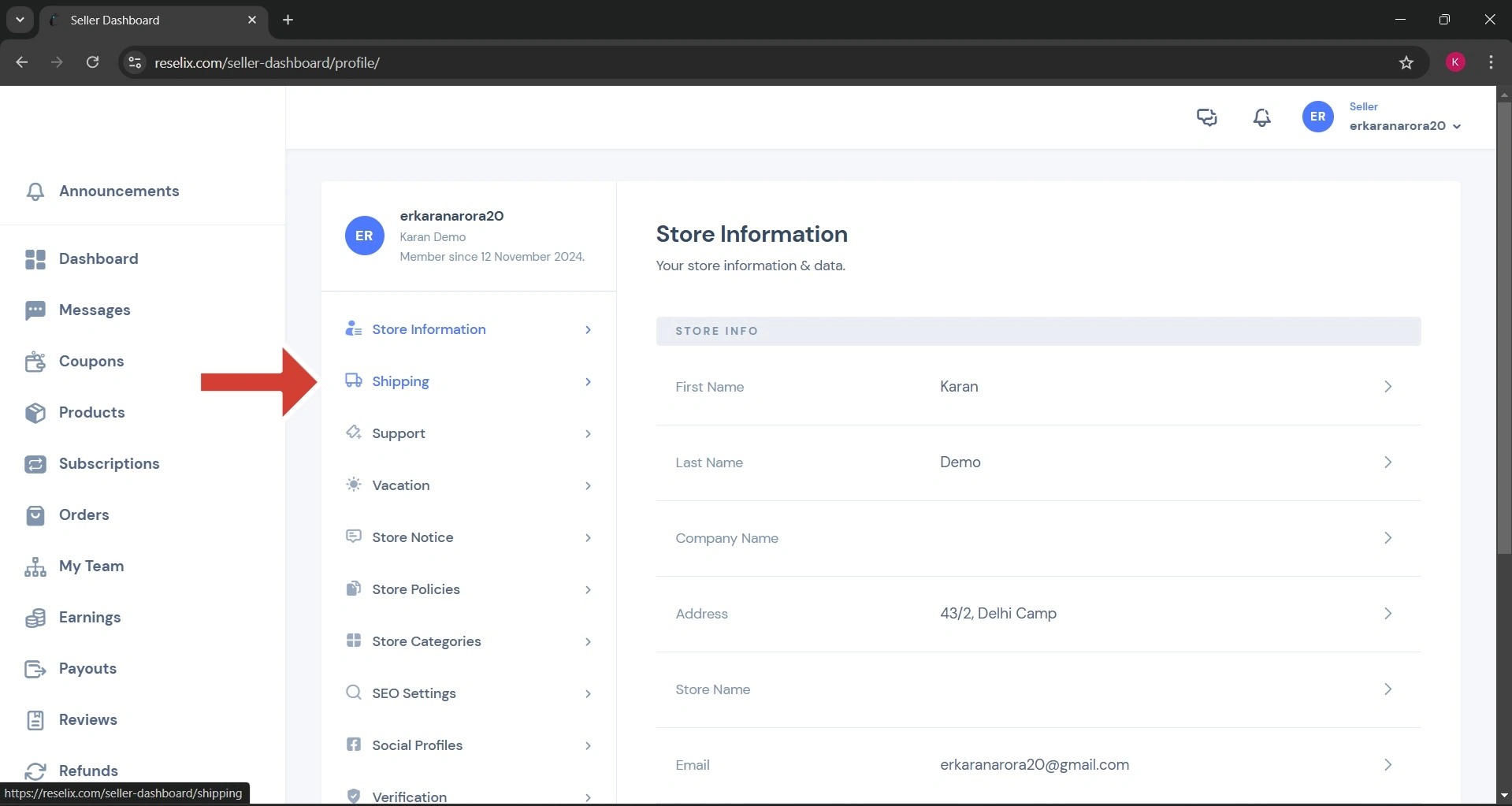
Step 4
Then click on “Shipping”.
Step 5
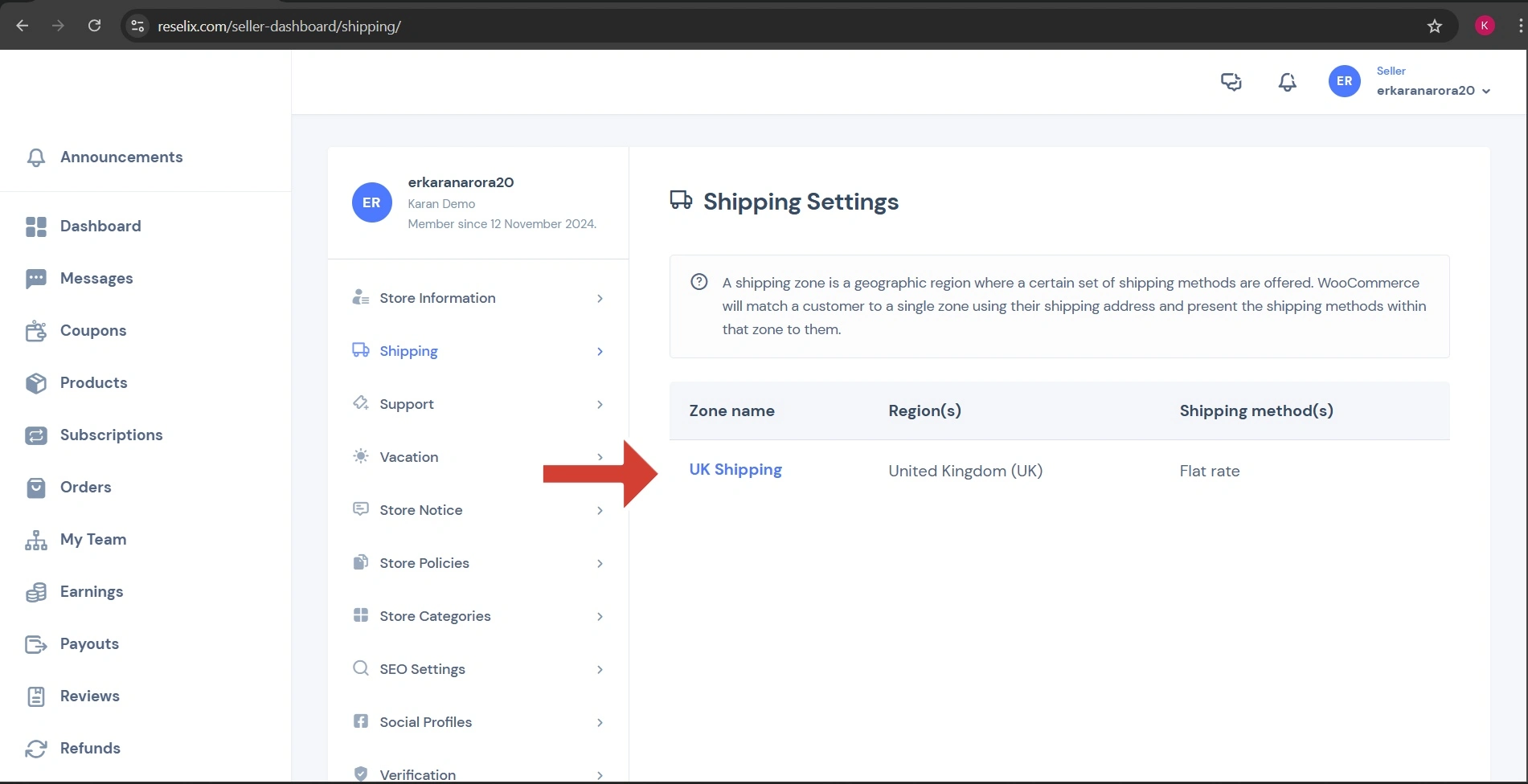
Then click on “UK Shipping”.
Step 6
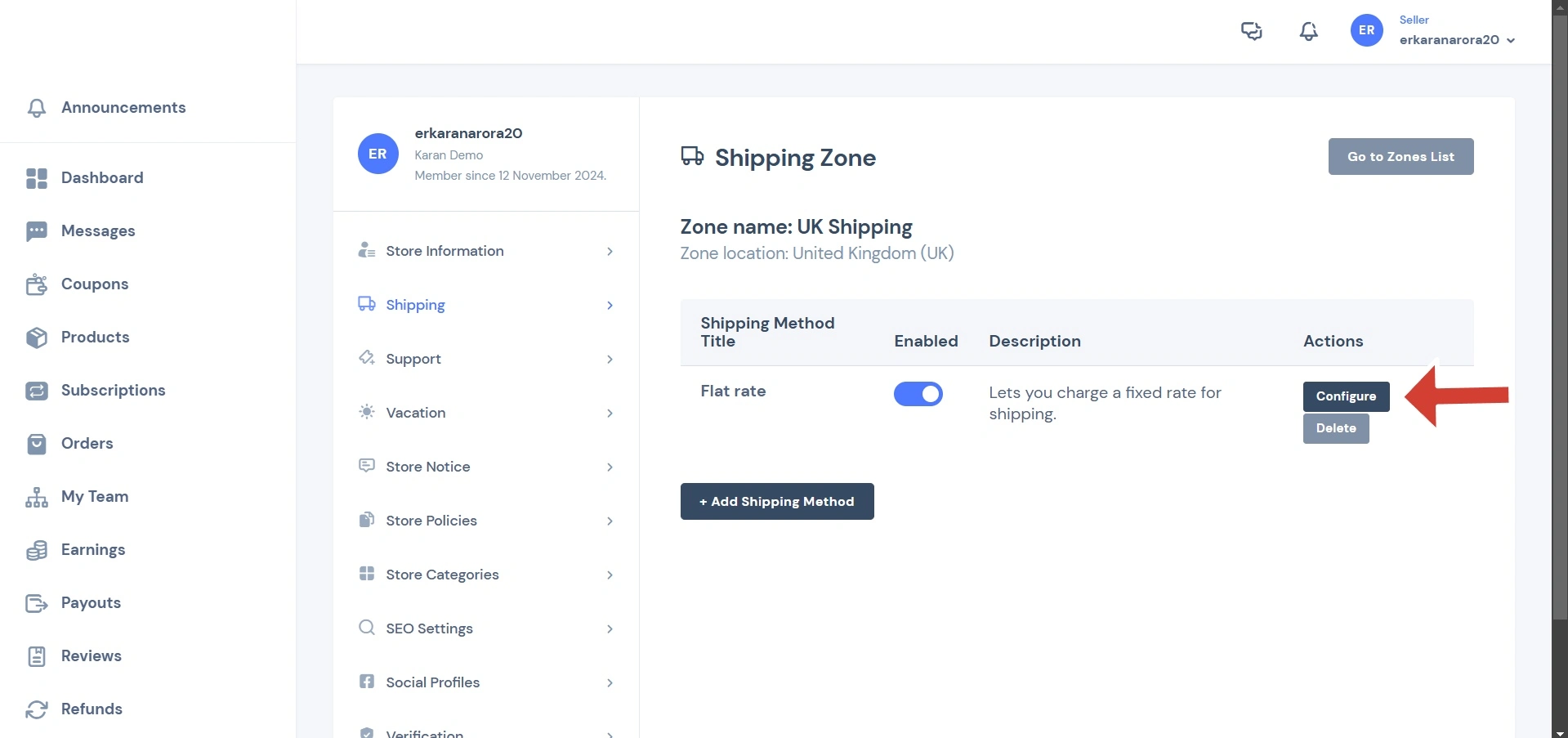
Click on “Configure”.
Step 7
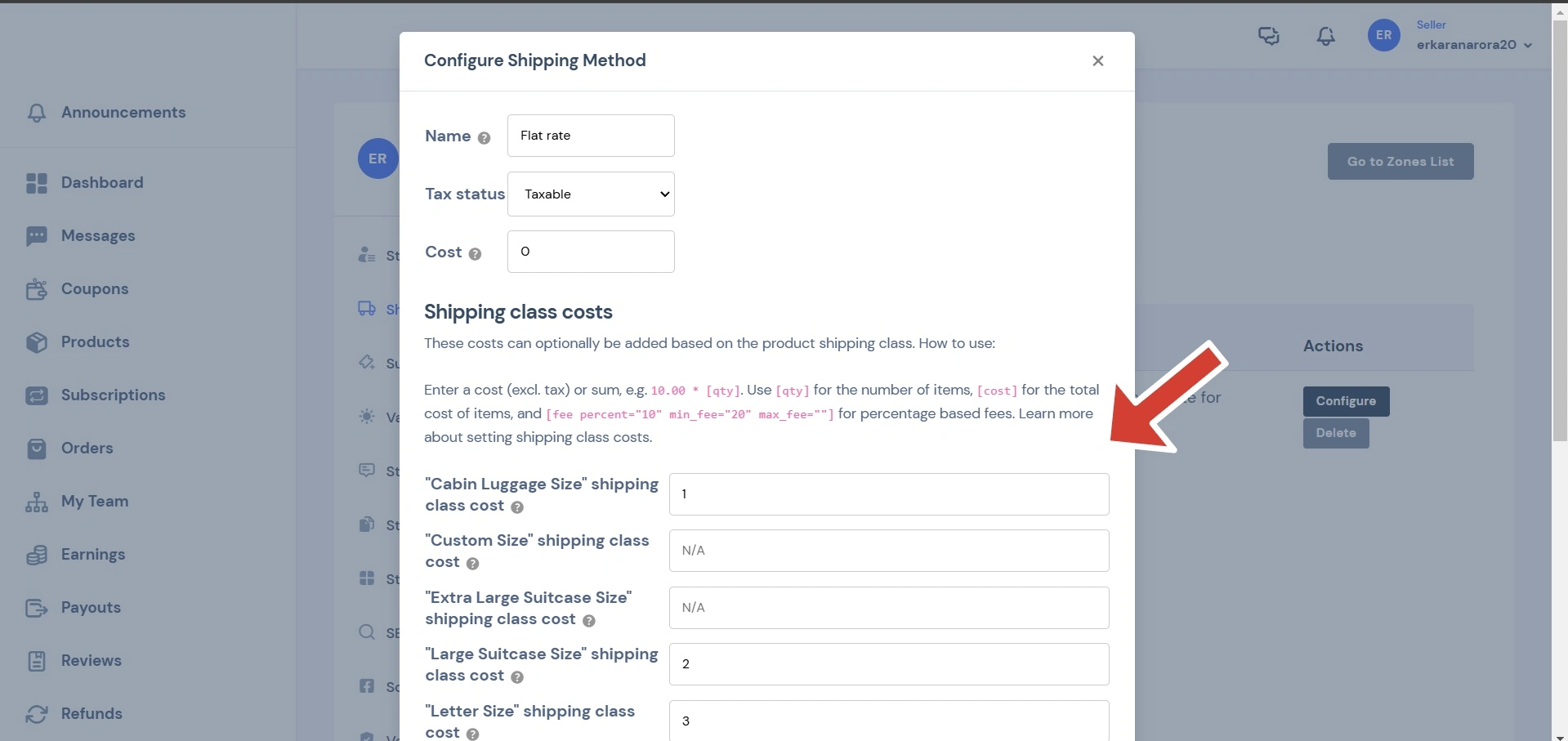
Then you will be able to see a pop up that shows all the shipping classes available on the platform.
- Cabin Luggage Size
- Custom Size
- Extra Large Suitcase Size
- Large Suitcase Size
- Letter Size
- Padded Envelope Size
- Shoe Box Size
Step 8
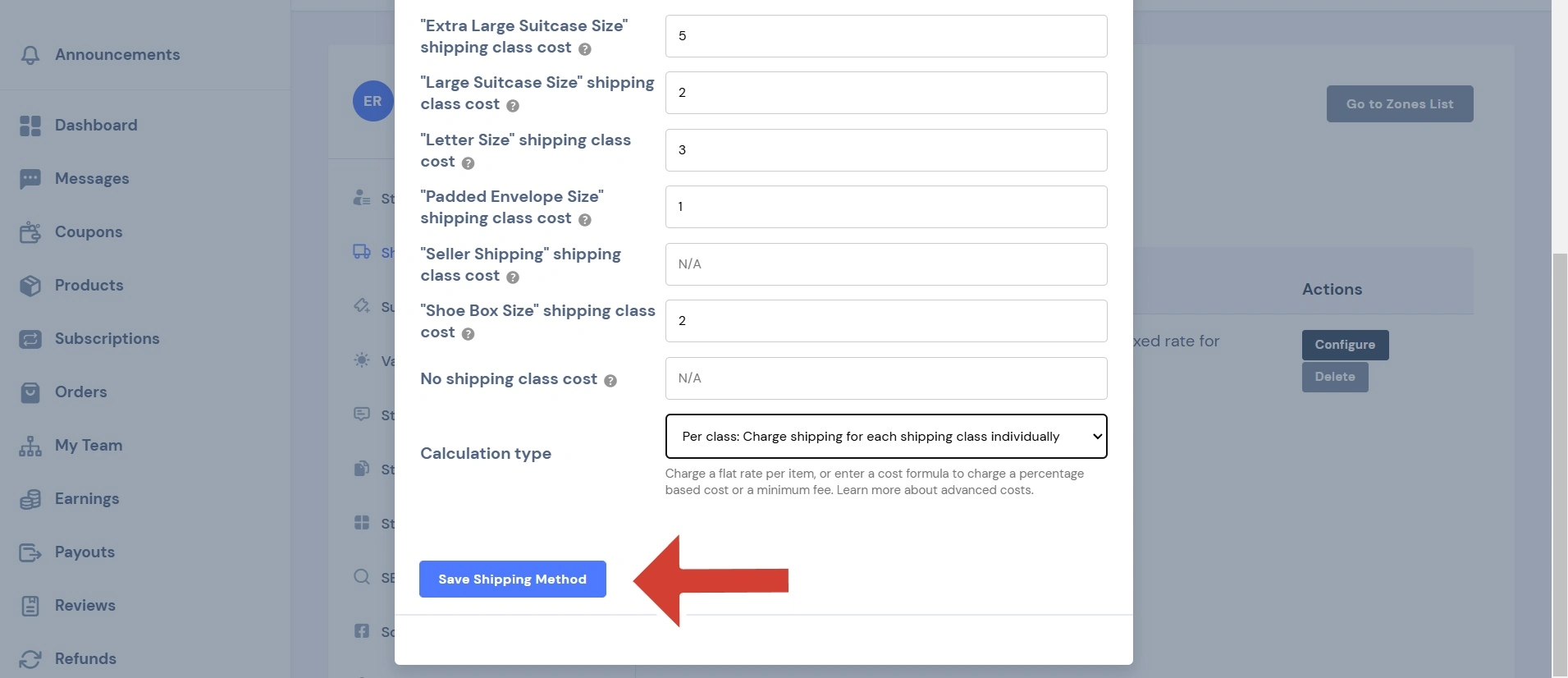
You can set prices for these classes. By entering values in the boxes. Then click on “Save shipping method”
Conclusion
You are done with assigning prices to different shipping classes. Now you can assign these shipping classes while listing any products.


